Rhythm
Custom subdivisions, expressive pads, wood and standard kits, and a visible metronome lane. Learn a groove, then take the notation into the room.
MoB · iPhone · iPad · Mac · for everyone who makes music
A complete music practice and creation toolkit for guitarists, pianists, songwriters, students, teachers and anyone curious about music theory. Explore chords and scales, build drum grooves and strum patterns, practice over progressions and drones, and record your ideas. The music tools work on their own—lesson wrap-ups are an optional addition for teaching and learning.
Mac: macOS 14+ on Apple silicon. The iPhone and iPad App Store listing is not yet public.
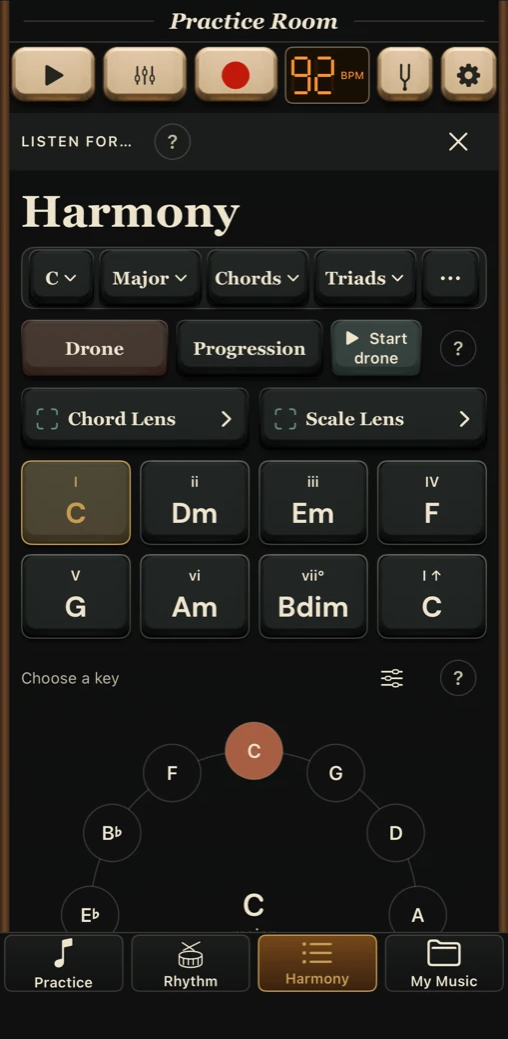
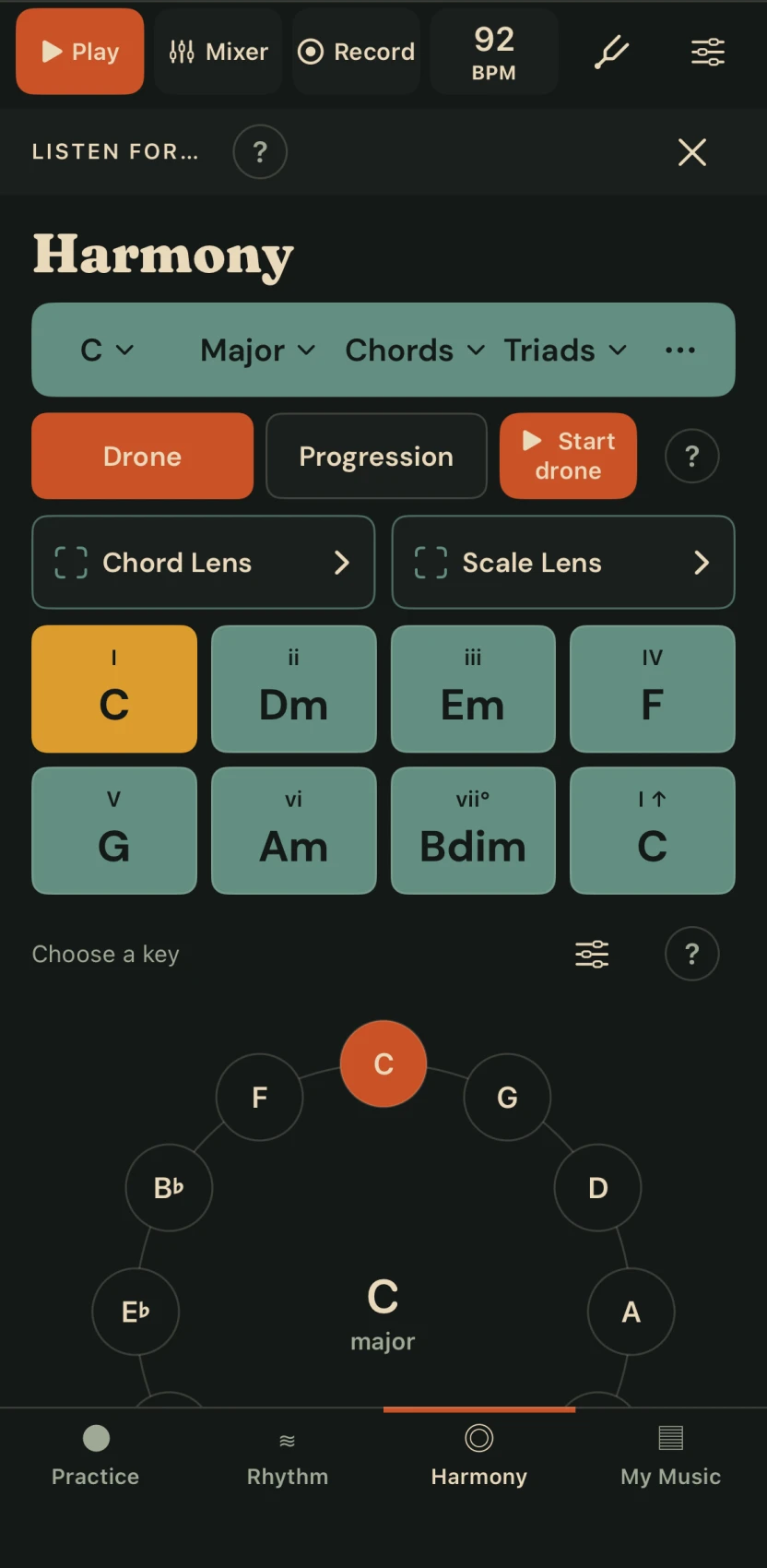
Black Console — an optional Full appearance. Original is the default; all four looks appear below.
Rhythm you can see and hear
Work out a strum in the grid, then see it as notation. Combine downstrokes, upstrokes, muted strokes and palm muting. Chain patterns together and play along.
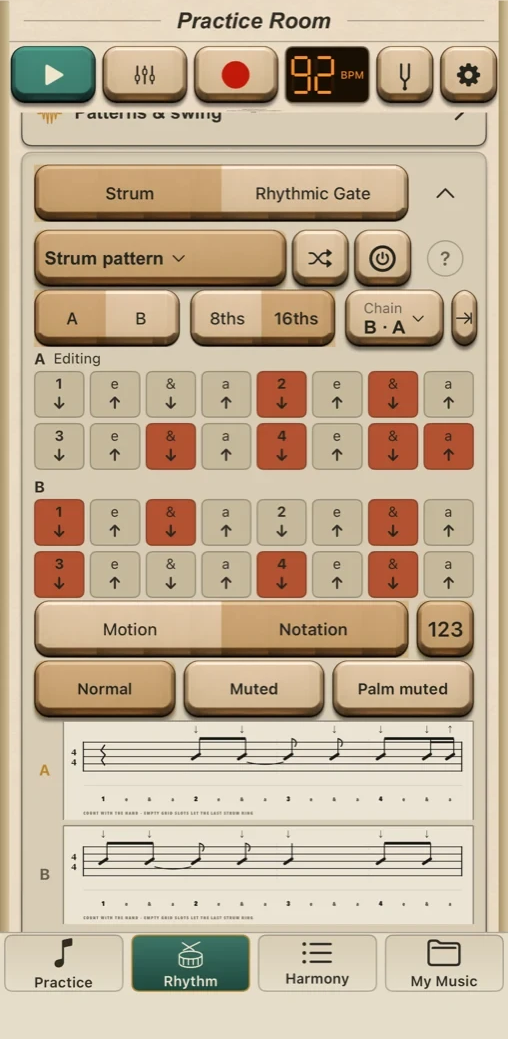
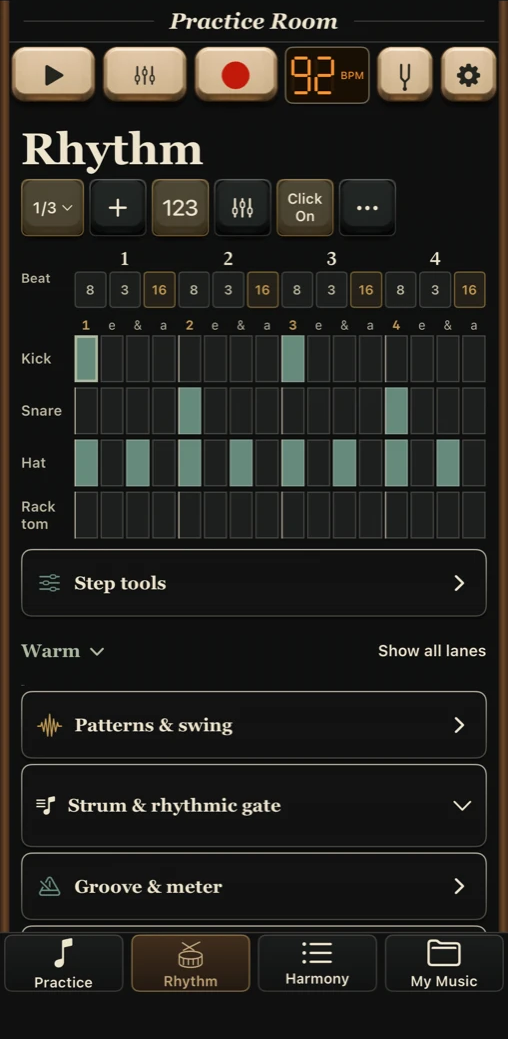
For drums, choose subdivisions beat by beat, shape the groove and take the rhythm into notation.
Look & feel
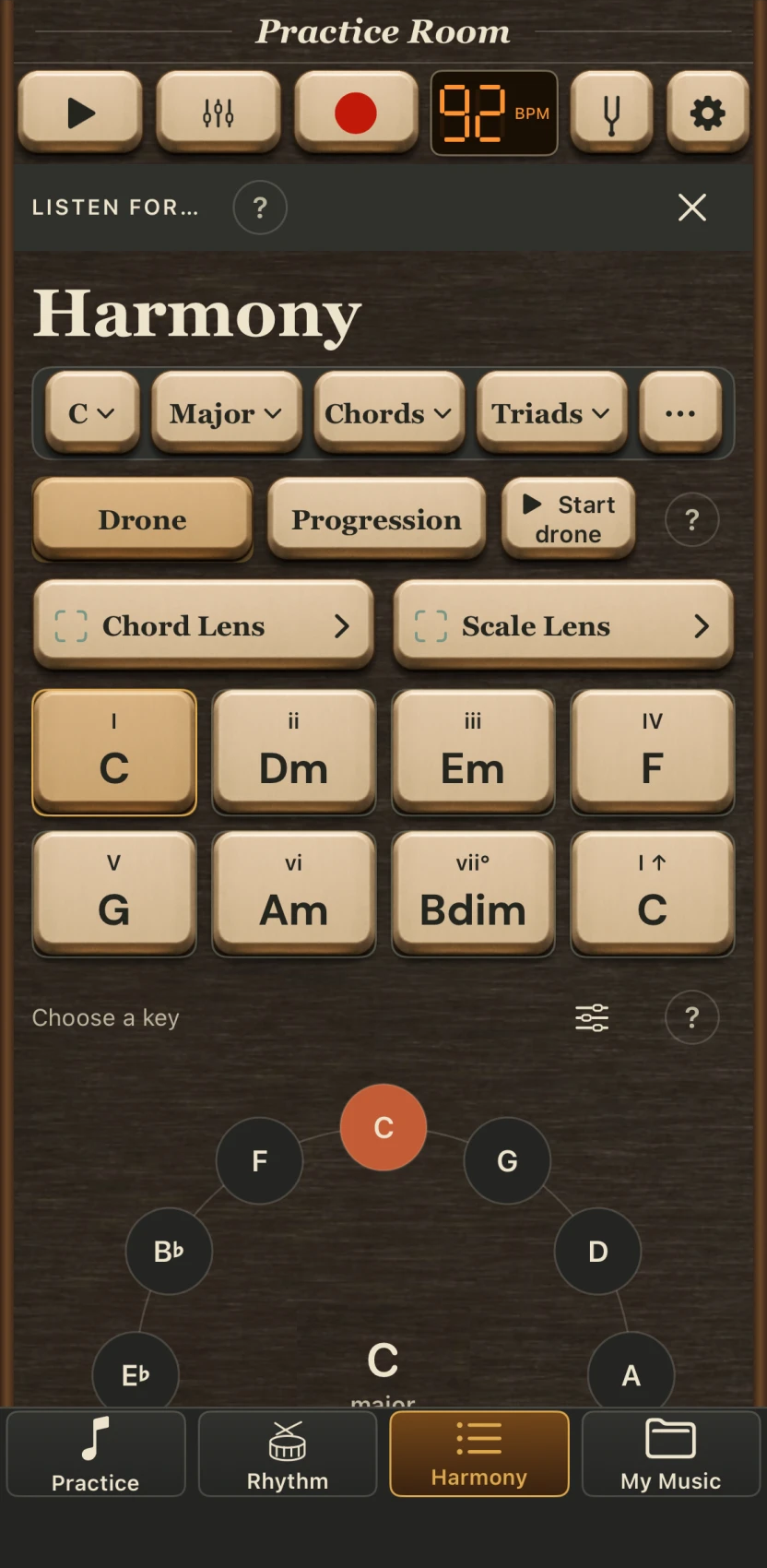
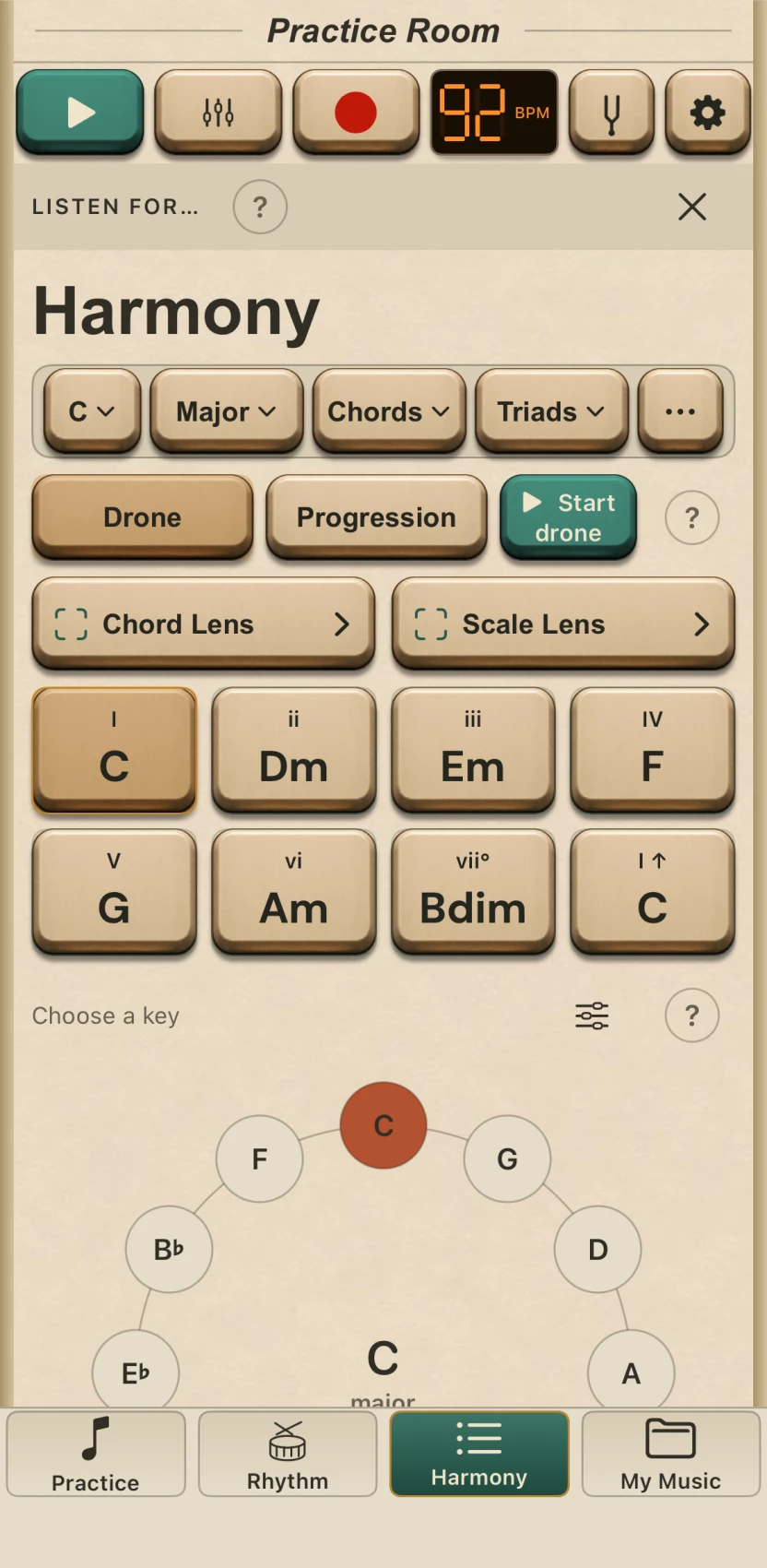
Original is the default, with classic Practice Room colors. Full adds Black Console, Walnut and Cream. Tap a screen for a closer look.
See the music. Hear the connection.
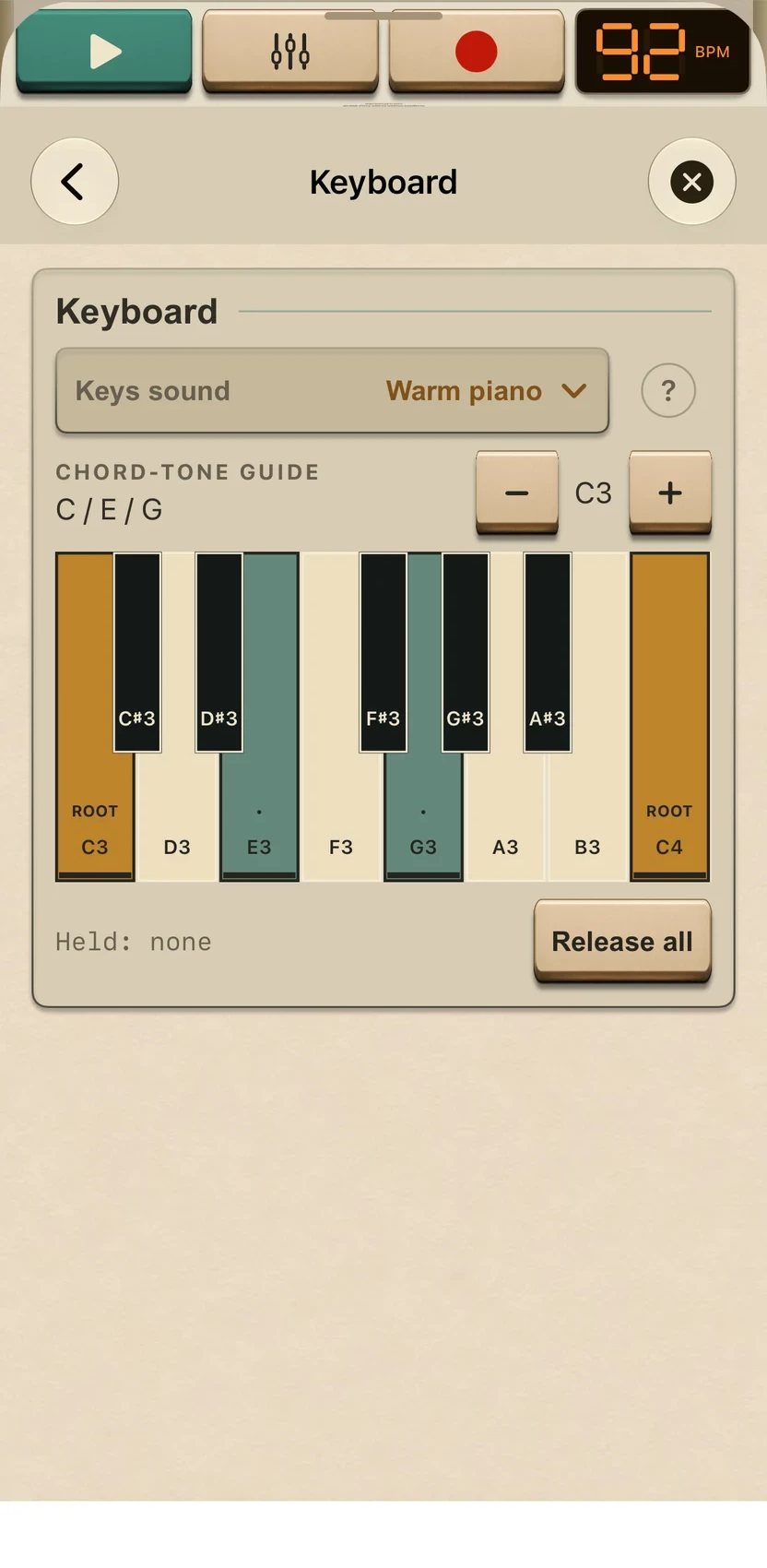
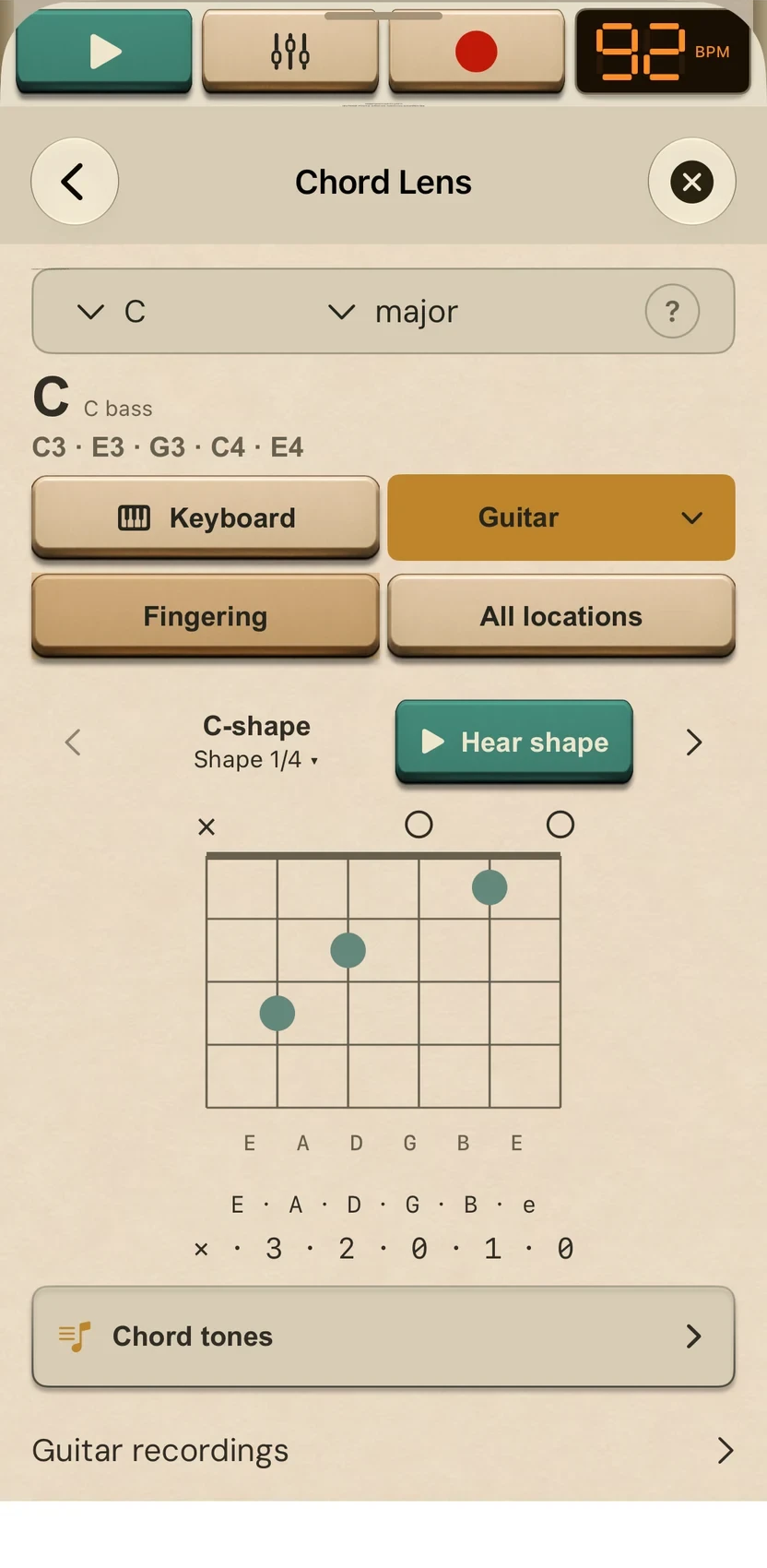
See and hear chord tones on the piano keyboard. Explore multiple voicings and fingerings for each chord in Chord Lens, with guitar, bass and ukulele views. Play scale and arpeggio diagrams in different positions, then hear how the notes fit a progression.
What’s inside
Custom subdivisions, expressive pads, wood and standard kits, and a visible metronome lane. Learn a groove, then take the notation into the room.
Chords, scales, arpeggios and drones in any key, from simple progressions to your own sequences. Play along, or just listen.
Adjust the balance of the sounds in your practice session.
Metronome, click and tempo control for practicing with whatever you’re playing.
Play notes and chords on the on-screen piano. Hear voicings, explore melodies and connect what you see in the diagrams with what you hear.
Charts, saved music, notes and your lesson notebook — everything in one place, on the device.
Choose a key and practice against a sustained drone. Hear the pull of each interval, play scales and arpeggios, and experiment with melodies against a steady tonal center.
Separate imported audio into stems, adjust the parts you hear, and loop a section for focused practice. Keep the original recording alongside your stem mix.
Import your PDF charts and keep them with your music, ready to read while you practice.
Find a starting point when you sit down to play. Use the practice ideas to explore rhythm, your ear and the fretboard, then keep a personal practice list to return to.
Open the tuner, listen to your instrument and bring each note into tune before the session starts. Included in Free.
Save time preparing student follow-ups. Review a lesson summary, practice goals and integrated musical diagrams, then share them together. Revisit each student’s saved lesson history before the next session.
For teachers
Spend less time writing lesson emails, finding diagrams and remembering where you left off. Practice Room brings the wrap-up, musical materials, student history and schedule together.
Prepare the follow-up in one place. Review a draft summary and practice goals with chord shapes, scale diagrams, progressions and rhythm notation. Make your edits, then send the prepared email from your email app.
Pick up where you left off. Open a student’s saved lesson history to see the previous lesson’s notes, goals and materials at a glance—or look back through earlier lessons before the next session.
Keep the schedule connected. Connect your chosen lesson calendar on a paired Mac to bring lesson times into the student schedule. Choose the calendars and teaching days that fit your week.
Choose cloud processing without a second computer, or local processing on your own paired Mac. Both options prepare reviewable wrap-ups and musical materials for your students.
Record lesson audio, or import a lesson recording.
Your chosen local or cloud AI drafts an English wrap-up for you to review.
Change wording, add or remove musical material, regenerate if needed.
Review the email draft, then send the wrap-up and selected materials using your email app.
Local, by design
For local lesson wrap-ups, connect Practice Room to your own compatible Apple silicon Mac running LM Studio and a local model. Follow the Mac setup guide to install and connect. Remote access between your devices can use a private Tailscale connection. Local processing keeps lesson content within your setup; cloud processing is a separate, optional service.
Practice tools work on the device. The local AI option needs your paired Mac available, with its model running. LM Studio and its model are separate downloads.
Your music. Your lessons.
Plan lessons, keep useful notes, listen closely and read the chart in front of you.
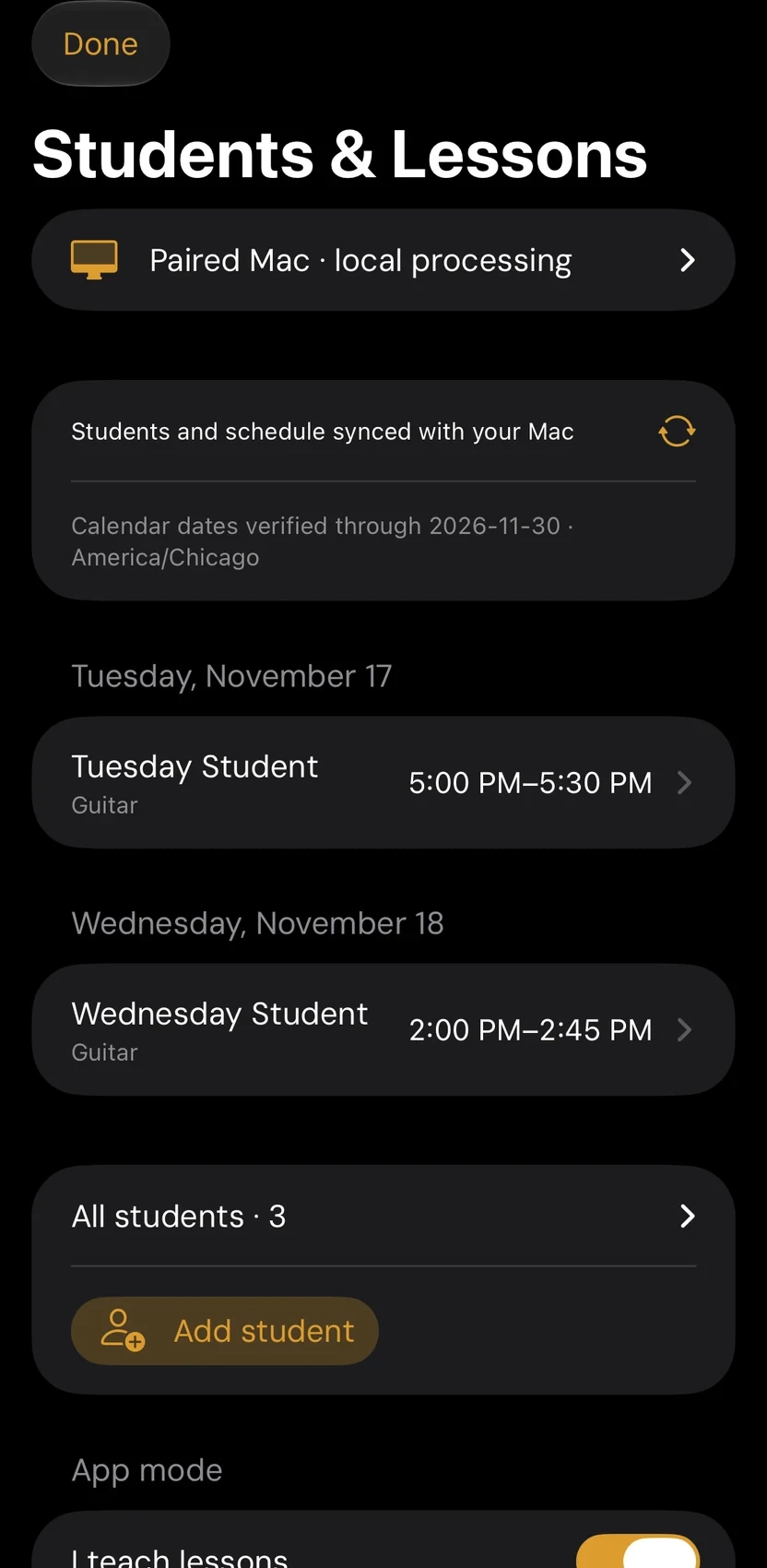
See who’s next alongside your student records. Manage lesson times in the app, or sync a chosen lesson calendar through your paired Mac. Calendar access is optional.
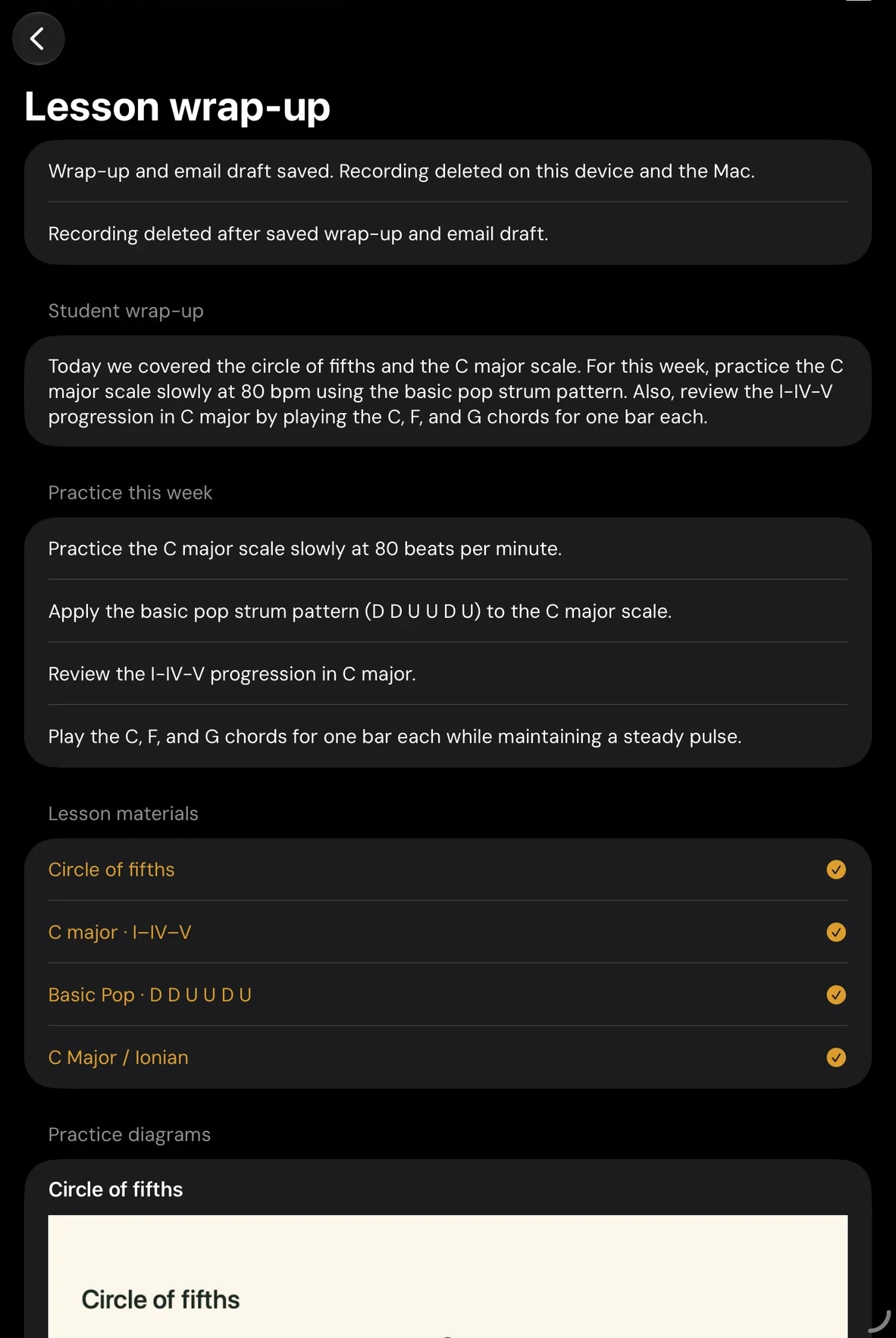
Prepare the student’s follow-up without gathering everything again: review the summary, practice goals and diagrams, then share. Saved lesson history keeps previous notes and materials close for next week.
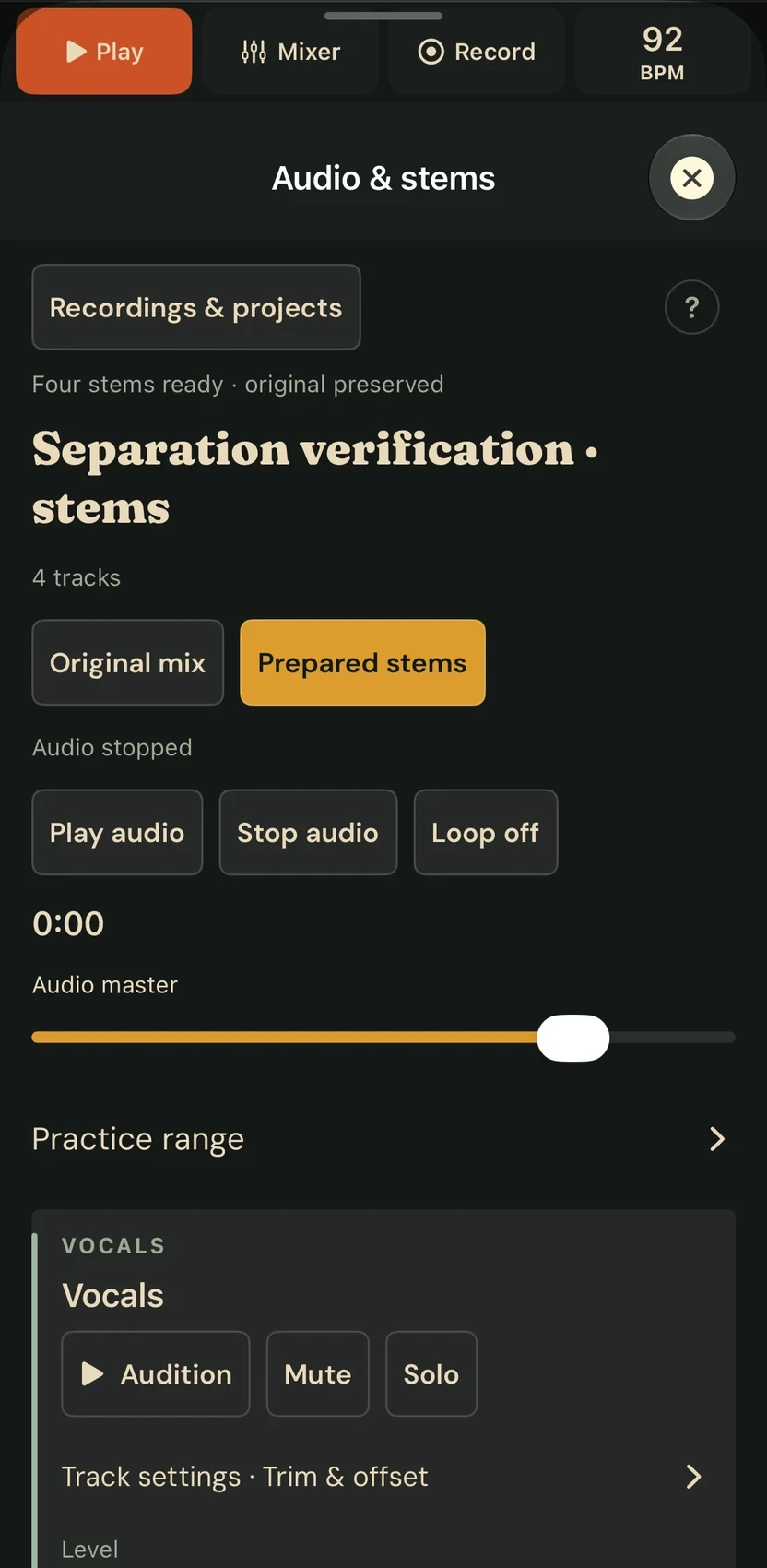
A separated recording with individual stem controls for focused listening and practice.
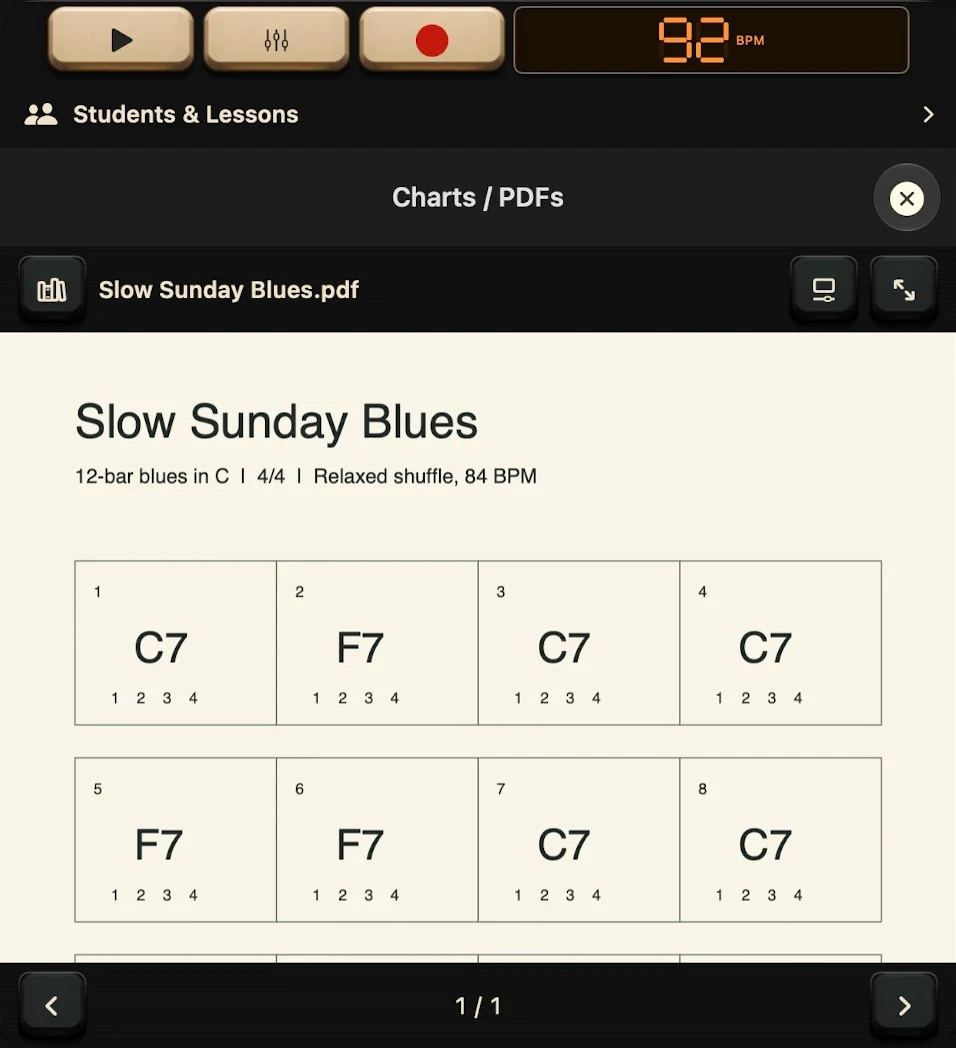
Read an imported chart alongside the app’s playback controls.
The wider MoB family
Explore Drummer Room, Lead Sheet, Cue Room, Studio Assistant, Bounce Room, Elsewhere, Surrealist and Transient Fold — all coming soon.
See real app screenshotsFree basic tools & shared lessons
Tuner, basic recorder, PDF chart reader, and a metronome or Steady Beat linked to the main tempo. Keep teacher-shared assignments and your notes in My Lesson.
$9.99 one-time
The complete musical toolkit: editable drum grids, subdivisions, styles and variations; Harmony, chord scales, scales and arpeggios; progression and strum tools; and saved custom musical material. Teacher lesson wrap-ups are sold separately.
$9.99 additional one-time purchase
Teaching tools, roster, schedule, lesson wrap-ups and local Mac setup. Requires Practice Room Full. Full + Local AI: $19.98 once, with no monthly processing charge.
$9.99 per month
120 completed wrap-ups per Apple billing period. Optional hosted text processing; no local AI computer needed.
$14.99 per month
200 completed wrap-ups per Apple billing period.
$39.99 per month
5 teacher seats and 750 pooled completed wrap-ups. Separate teacher accounts and private records.
$59.99 per month
7 teacher seats and 1,250 pooled completed wrap-ups. For larger teams, add a separate studio workspace with its own seats and allowance.
Prices in USD. Cloud processing is available through the optional plans above. Cloud is optional and does not require the separate Local AI add-on. Monthly allowances do not roll over. Extra wrap-ups are optional one-time purchases: 25 for $3.99, 100 for $12.99, or 250 for $24.99 for studios. Extra credits do not expire; an active cloud plan is required to use them. No automatic overage charges. Failed and duplicate-delivered lessons do not use the allowance.
Requirements
Use the musical toolkit for practice, teaching, songwriting and exploring theory. No AI service, LM Studio or paired computer is required to use the music tools on your iPhone or iPad.
An internet connection, a Practice Room account and a cloud plan. No paired Mac or LM Studio needed.